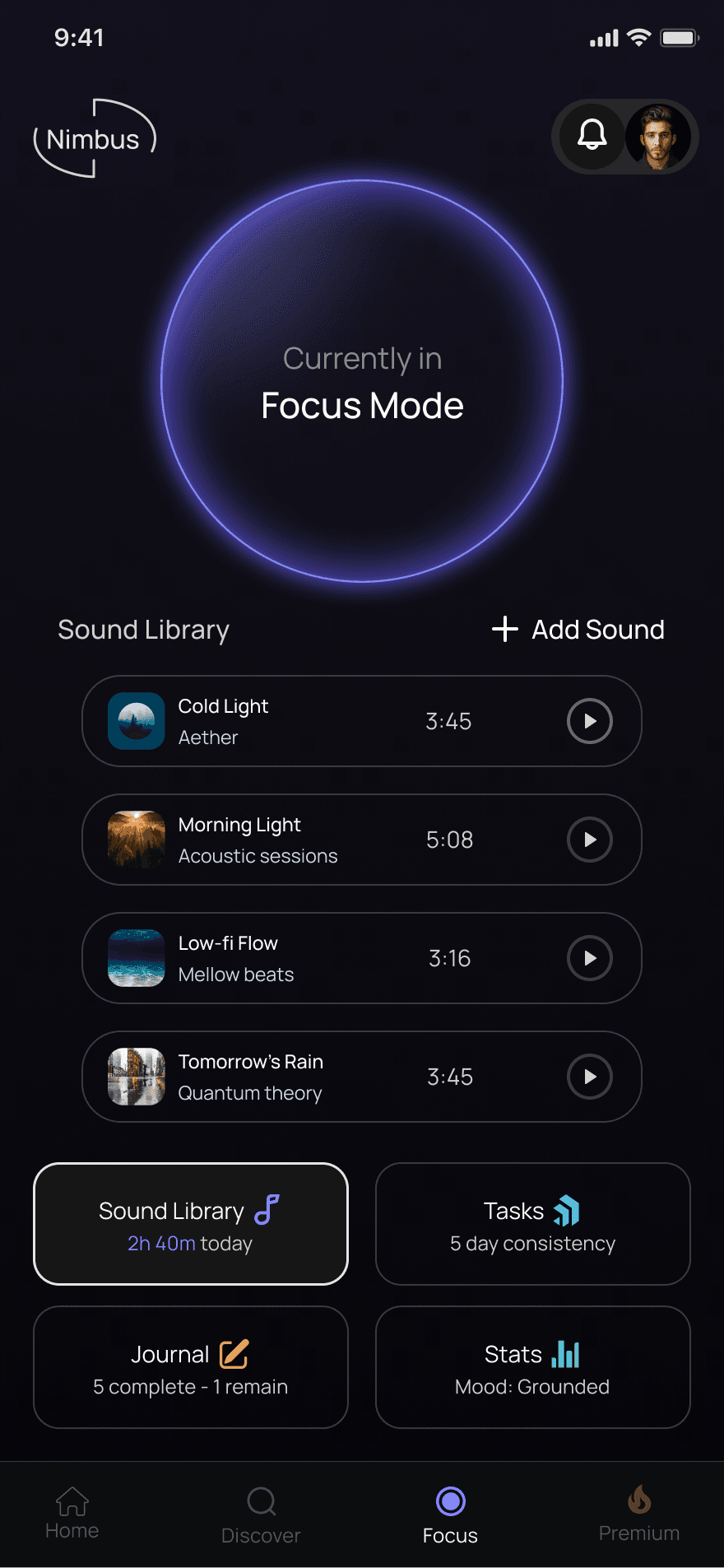
Nimbus is a cross‑platform productivity and wellness system designed for creative professionals. It brings task management, mood tracking, and daily structure into one cohesive experience.
Role: UX/UI Designer
Timeline: 6 Weeks
Scope: Feature Concept,
UX Strategy, Interaction Design
Creative professionals often feel torn between staying productive and taking care of themselves. With no integrated space for focus, planning, and personal well‑being, they end up juggling multiple tools and losing the rhythm they need to stay grounded and creative.
Why this matters
Wellness habits fall apart when they live in separate apps from daily tasks.
Without a unified system, routines become inconsistent and harder to maintain.
Fragmented routines make it harder to feel grounded or stay connected to personal well‑being.
To understand how creative professionals manage productivity, wellness, and habits, I conducted moderated interviews with five participants representing a mix of creative and structured roles.
Protect Flow
Keep it simple
Blend wellness in
Motivate visually
Customize guardrails
Unified Dashboard
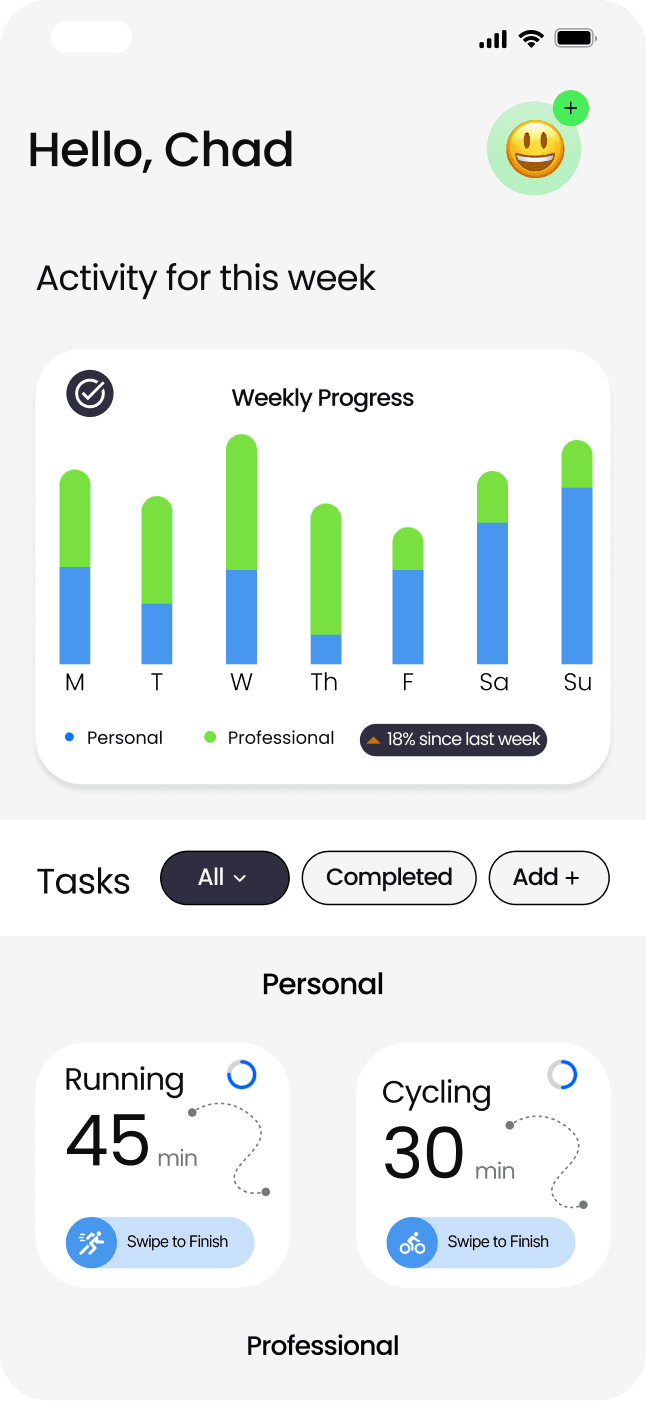
Tasks, focus sessions, and progress in one place.
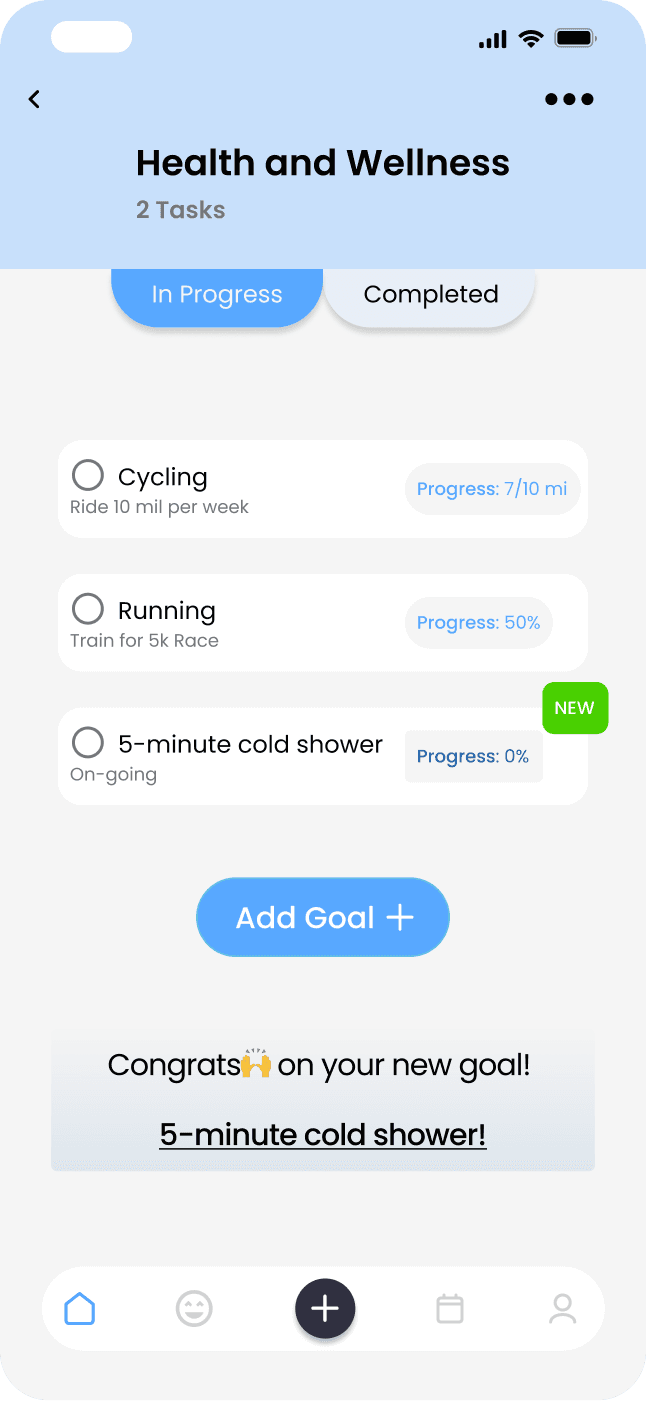
Task Mangement
Lightweight tasks designed for daily execution.
Journaling
Lightweight tasks designed for daily execution.
Focus Sessions
Timed sessions supported by soundscapes.
First Iteration
Final Design
A cohesive set of screens designed to keep users focused, grounded, and motivated within a single, distraction-free system.
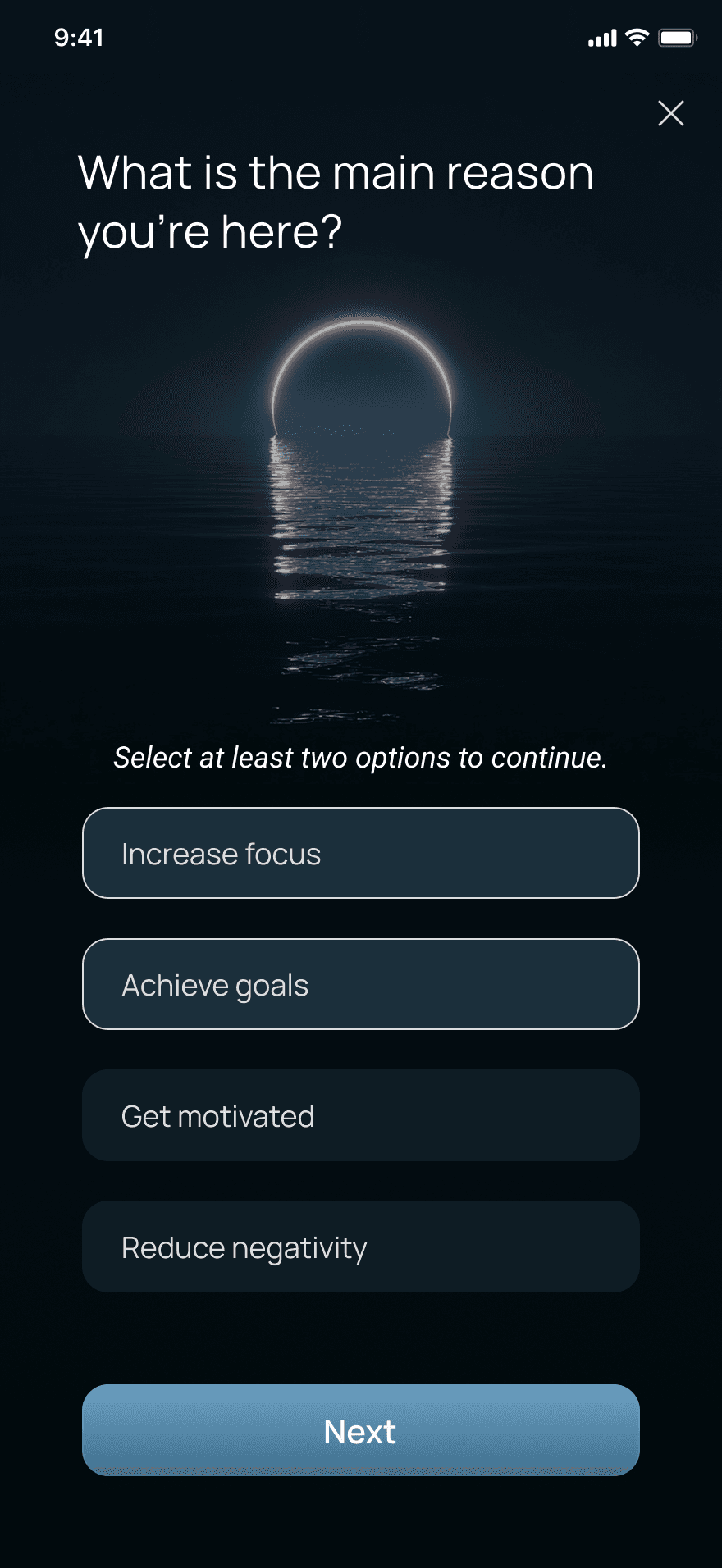
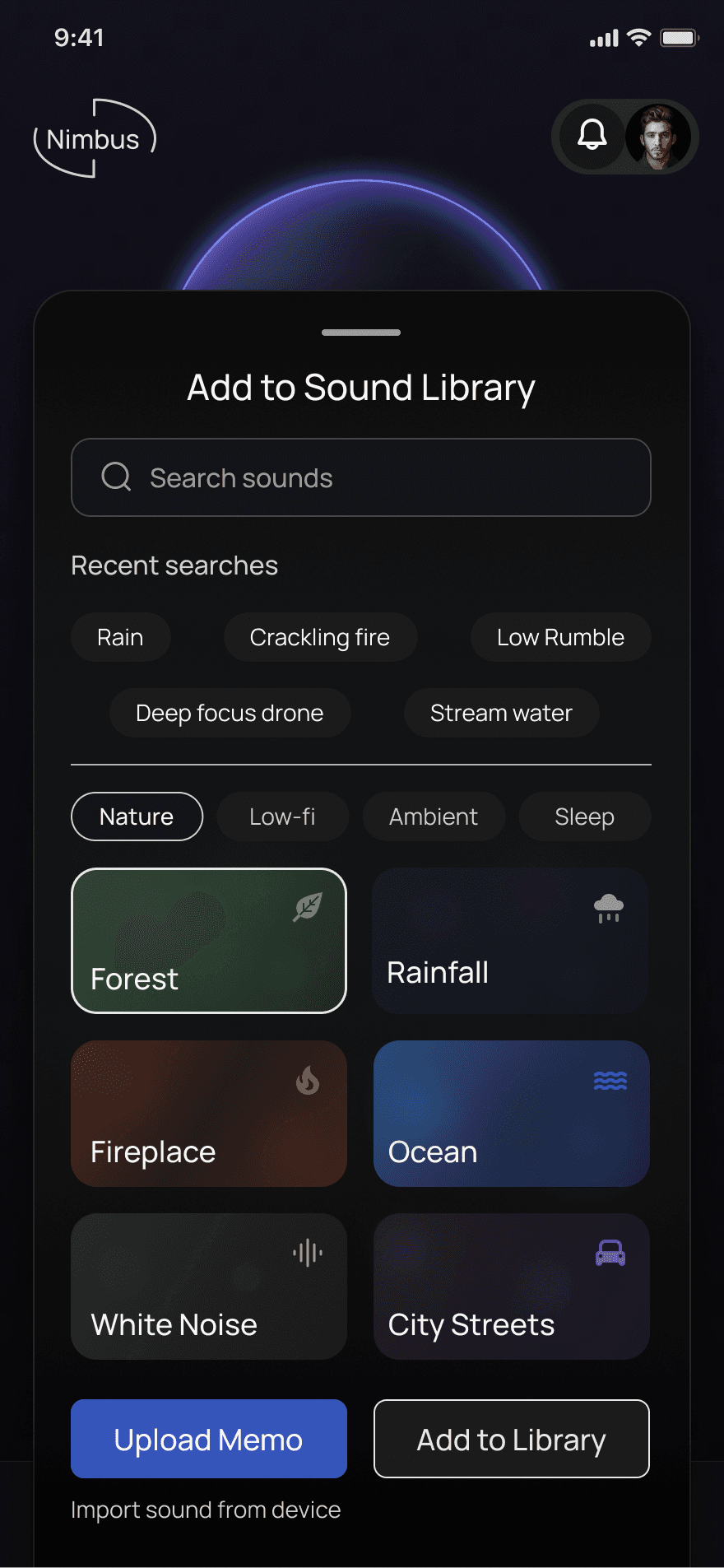
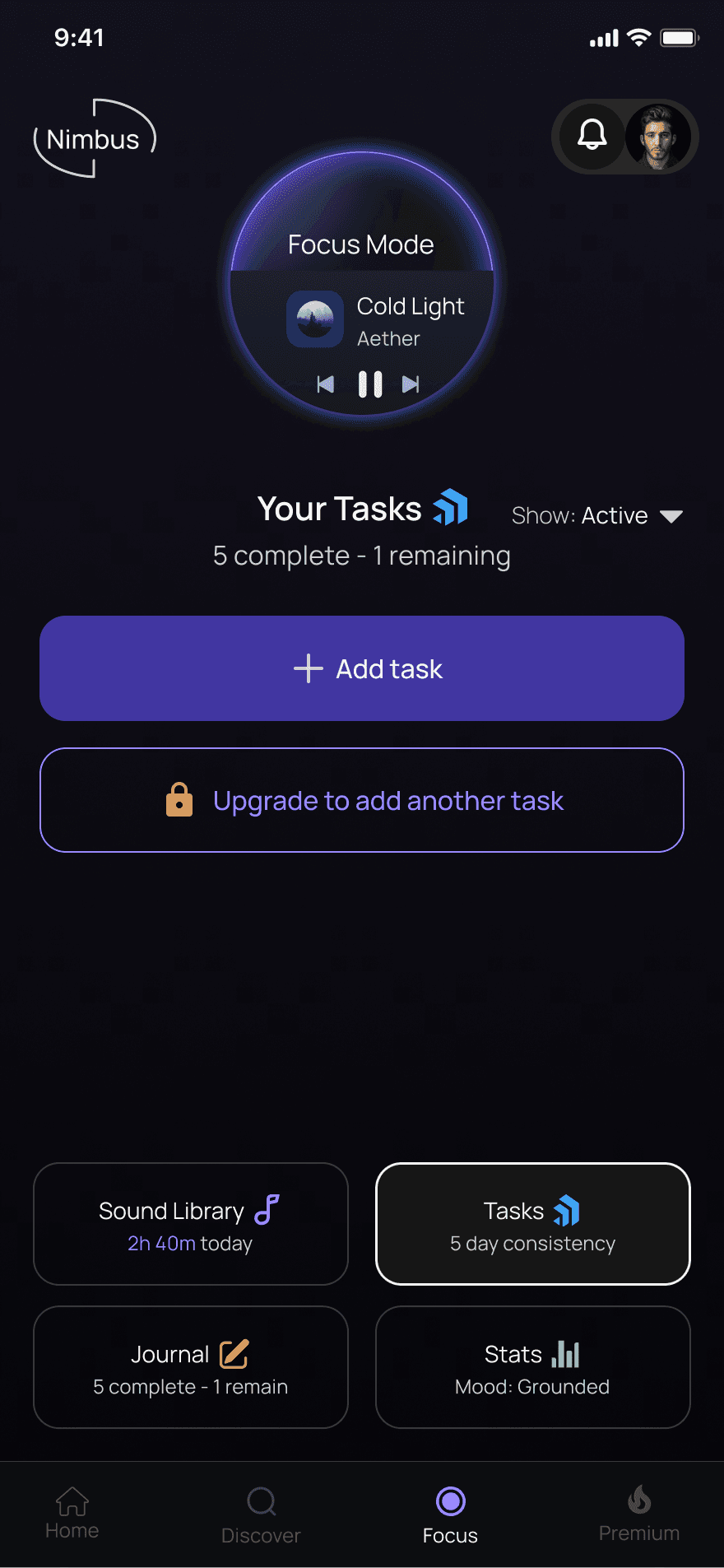
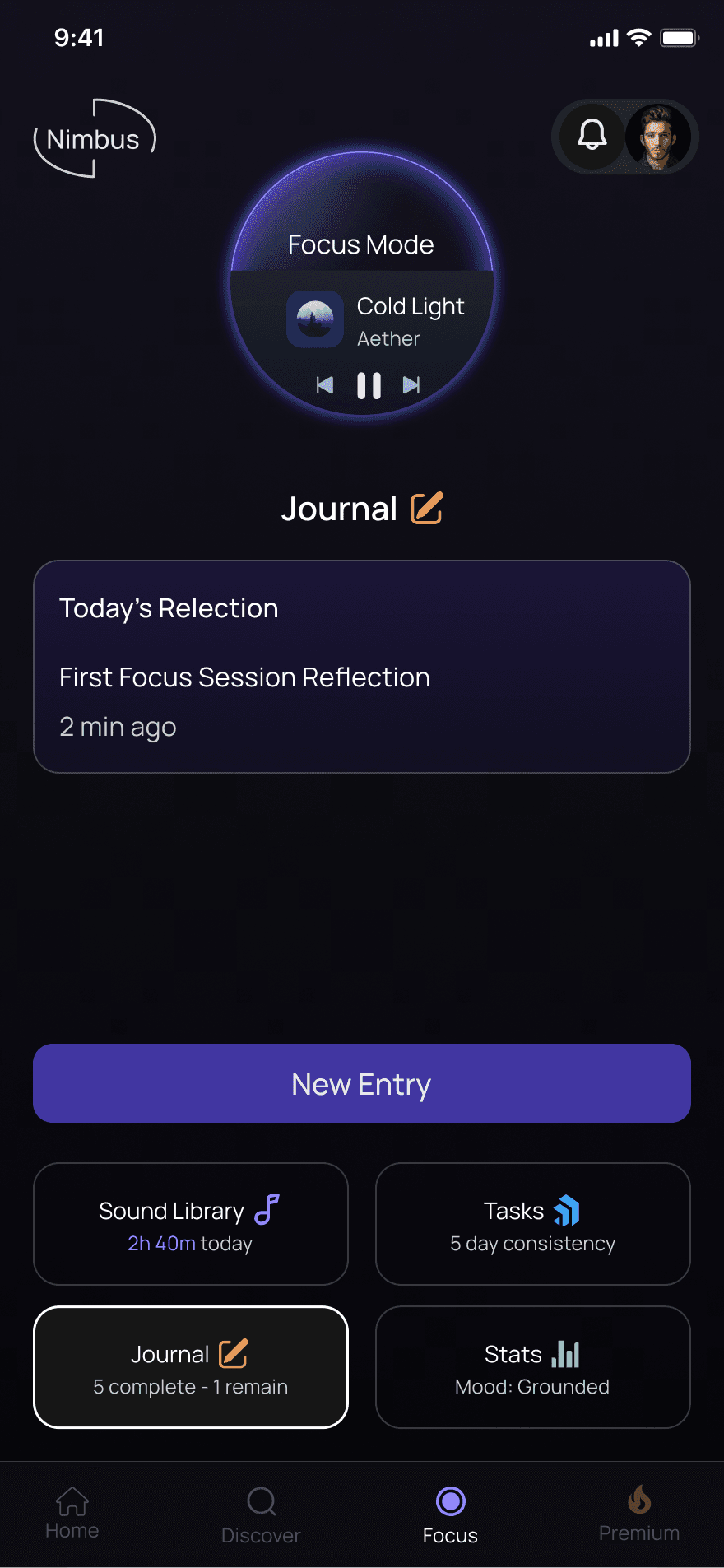
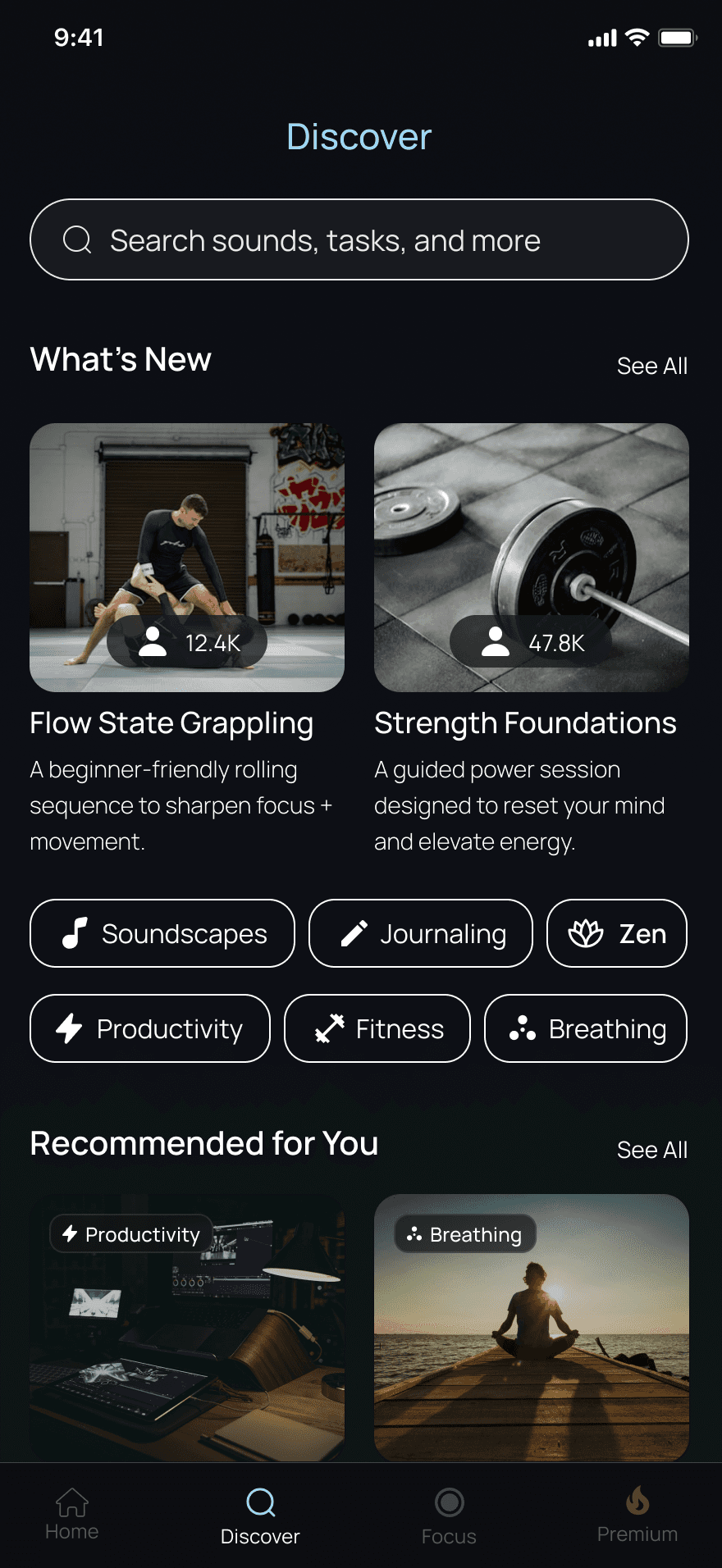
What we saw in final iteration
Across 5 moderated sessions, users consistently moved through the flow with less friction:
4 out of 5 users entered focus faster, settling into work without needing extra guidance
Most users hesitated less at task start, noting that the cues felt clearer and more intuitive
All users transitioned more smoothly between focus, action, and reflection
Users described their progress more clearly at the end of a session, without prompting
Several reported feeling “more in control” of their workflow compared to earlier versions
These patterns validated that the final design reduced cognitive load, supported deeper focus, and created a calmer, more trustworthy experience.
Reflection
Most productivity tools demand structure before people are ready for it. Nimbus was my attempt to design the opposite: a space that lets people begin without pressure, work without judgment, and reflect without being managed.
Building it taught me how much clarity and calm can change the way someone relates to their own work. When the tool gets out of the way, focus feels natural — not forced.
Impact
Users entered focus faster and with less hesitation, showing that the redesigned cues and flow reduced early friction.
Transitions between focus, action, and reflection became smoother, helping users stay in flow longer without feeling managed.
Participants reported a clearer sense of progress and greater control, validating that the final design lowered cognitive load and supported a calmer, more intuitive workflow.
Next Steps
Validate long‑term behavior by observing how users adopt Nimbus over multiple sessions and whether the gentle‑entry → focused‑action → reflection loop holds up over time.
Expand the system to support more complex workflows while preserving the calm, low‑cognitive‑load experience that testing showed users responded to.
Refine guidance levels using post‑launch data to calibrate how much (or how little) structure users need at each stage without reintroducing pressure.